Really enjoying the new layout. Big improvement,
I love the iteration counter on the bottom of the screen. I use 99 iterations most of the time to have an endless looping with a cycle counter. This version is better.
I noticed the shuffled auto-advance option. Perfect!
How do I create a medley with this new Beta version, release 436? The right side menu is gone and is not replaced by a Medley button on the bottom row. I used the Release version to create the medley which shows up in the Beta version.
That’s great to hear!
That part isn’t quite finished yet.  Wasn’t planning to have the reps extend all the way off the edges of the screen:
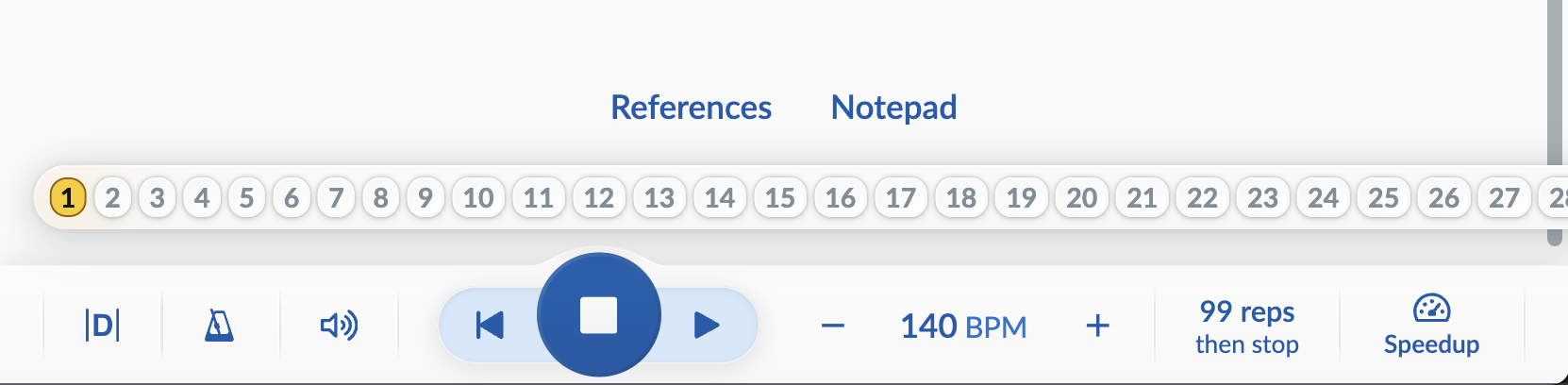
I need to limit the width on that overlay and then figure out what to do with the overflow, or change it to a more textual view like before, or a combination.
What is it you like about the way it is now, David?
Until we get around to redesigning the home/index page (probably late 2026 or early 2027), medley creation has moved to the bottom of the New Song screen.
Needless to say, the help docs will be updated in the near future to reflect this along with all the other changes…
I like that the highlighting moves to the iteration that I’m playing. 5th time through, 5 is highlighted.
The medley location is usable, but I honestly did not see it after looking at that page several times.
I noticed two items that could be improved in the Beta version:
(1) In a Medley, the Speedup icon shows up though it cannot be used because a Medley cannot be repeated.
(2) If you have a lot of lists of tunes and are adding a medley or a tune to a list, you cannot scroll through the lists. In this particular case, I’d like to add this medley to a new list. I can solve this problem by using the Windows app or the released version of the web app.
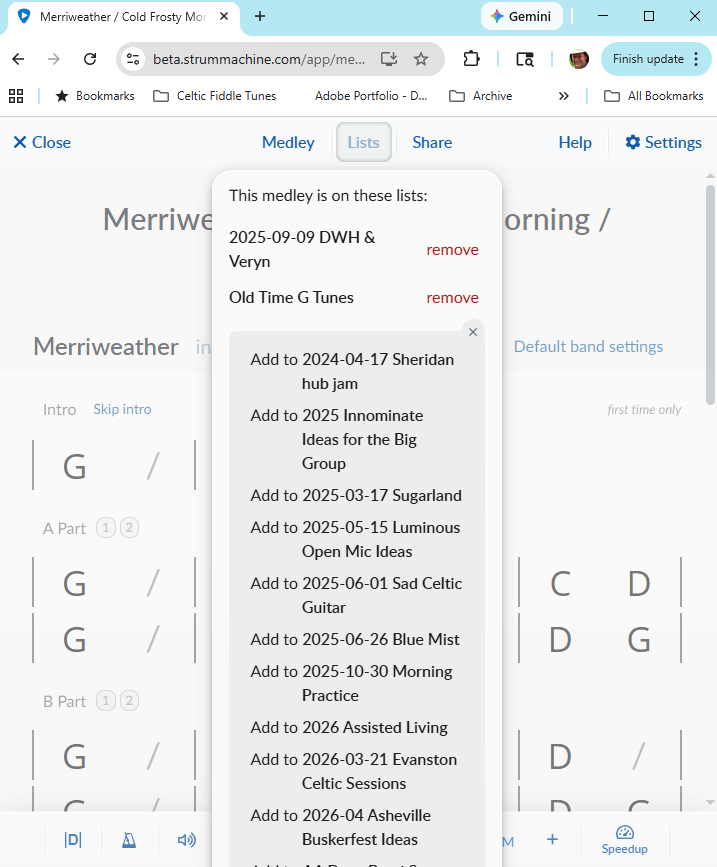
Thanks David. I’ve got the Lists menu scrolling now, and Speedup should no longer show up on medleys. Thanks for the bug reporting!