When I choose lyrics from bluegrass lyrics.com, the embedded window covers the lower toolbar of the strum machine window, (see attached pic). This is annoying as I need to move the window to use the toolbar controls. I think it used to “float” around more in previous versions, where the lyrics window had a bottom edge. It would be great if the bottom lyrics window could hide behind the lower toolbar, when moved down the lower edge of the app window. It would also be awesome if this lyrics window had an option to pop out next to the chord window, not covering any of the chord chart. Or have it move to the side of chords within the app window, where the app would automatically resize chord and lyrics size next to each other as the app window size is changed. Thanks so much!
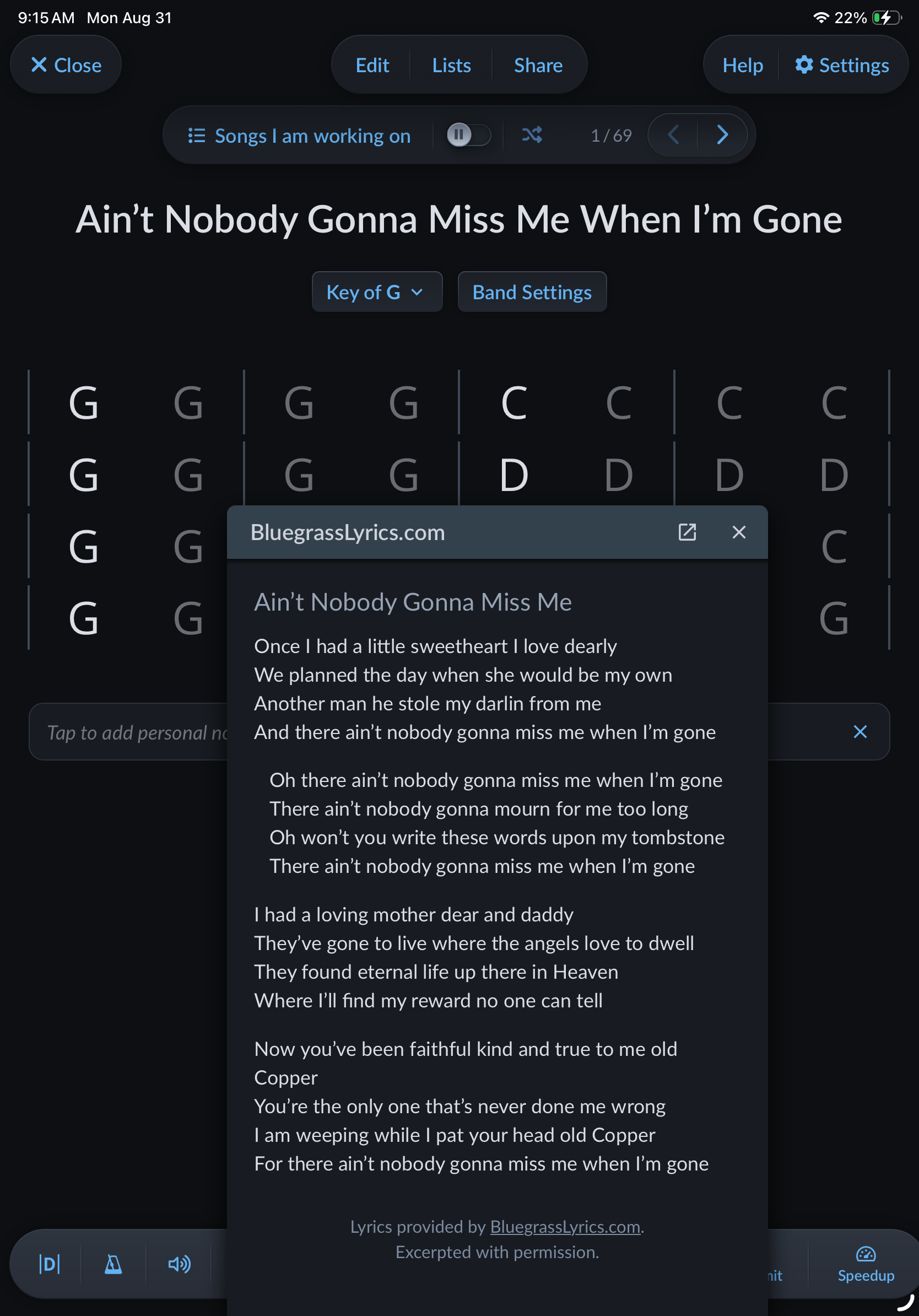
I have the opposite issue. On my android phone which I use during jams, when trying to view the lyrics which I have downloaded into the notepad window, the controller for bpm adjustment and repeat options occludes the lowest line of the lyrics. Is there a way to reposition these control functions or simply make smaller
For desktop and tablets, this has been fixed in the latest update.
For phones, I don’t see that issue, so @MarkSzentes please send a screenshot to support@strummachine.com so that I can take a closer look. Thanks.
Also, further improvements to use of Strum Machine on phones at jams are coming soon; there should be a beta available by the end of the month.
Luke, any way to save lyrics for offline use? Where we jam, there’s zero cell signal, so no access to the web during a jam, but it would be nice to save lyrics for my favorites tunes so they can be recalledwhen I have no web access. WDYT?
Hi mike,
You could copy and paste the lyrics into the Notepad (which is under any song in sm.). The notes stay saved to that song in your app. So no internet connection needed. Hope this helps.