Hi Luke,
I’ve edited this post in hopes the forums will let me create it: I started by praising the new update and the forum machinery found it too similar to a whole host of other topics, which tells you something 
One little thing - am I correct in thinking that there is currently no obvious way to use the metronome as just a metronome, so without opening a song and muting all the instuments?
Anyway - I’ll retry the praise here: Congratulations on this great big upgrade, so many new things to discover!! Great work!
Martine
Yes, at the moment the metronome is more like a “click track” or instrument you can toggle that plays along with, or instead of, the other instruments. You could potentially create a “metronome song” that has all the instruments removed from the band, if you think that’d be helpful to you.
Creating a standalone metronome tool is something I’m considering for the future. My designer Tyler is quite excited about the idea.  But it’s not scheduled for the near future. Figuring out where to put the button to open it is almost the hardest part!
And thank you for your praise on the new update! The forum does like to complain when things sound too similar, but it shouldn’t prevent you from posting it. If that wasn’t the case, let me know.
Yes, it actually seemed to refuse the post, at least nothing happened when I pressed the button. I can try once more with the original post, but it might get you praised again
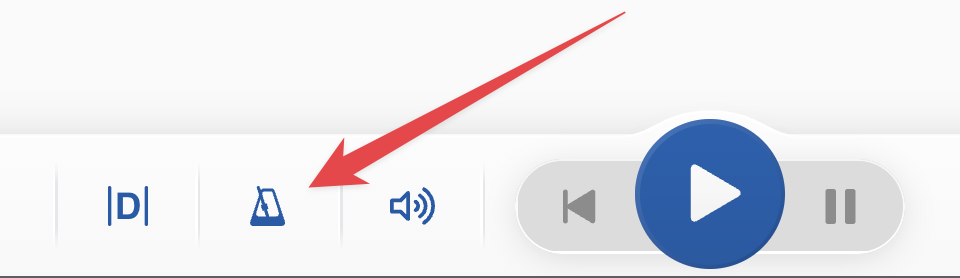
I did actually create a metronome song  There now seem to be three ways to enable/disable the metronome from a song page: settings, the metronome icon and the sound icon, but it does take a minimum of three clicks/taps (the sound icon is the fastest)…
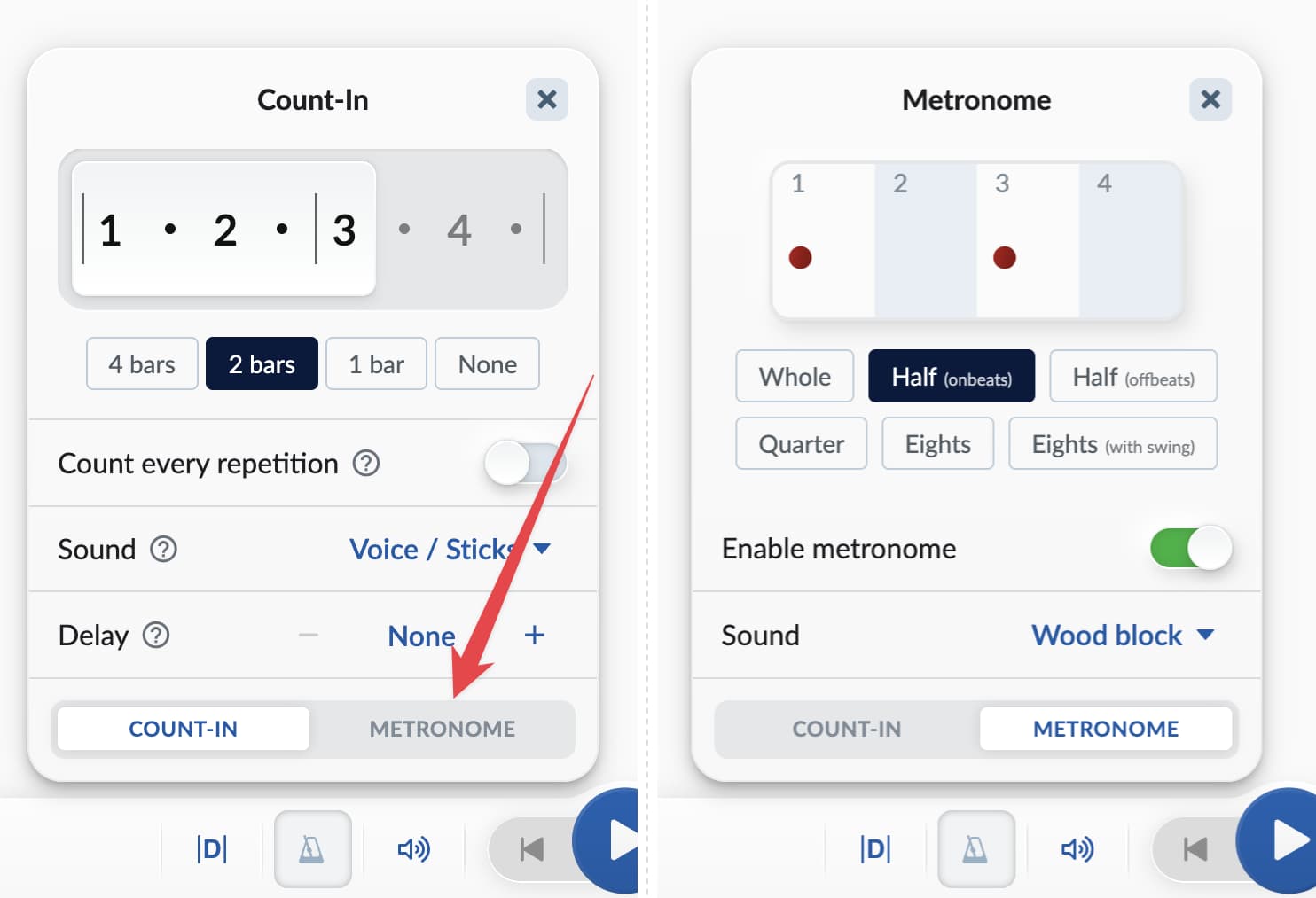
I noticed that the metronome icon defaults to the count-in menu, where up to now there is no reference to a metronome. I suppose you will add that to the ‘sound’ option at some point? Or use another icon? Just thought I’d mention.
Another metronome-related thingy - it is as hardheaded as a real one when it comes to different time signatures. It just takes the first signature as a default.
Take ‘Rattlesnake’ - here I can set the metronome to Half (on beats), but in the 3/4 section it will then do / 1 3 / 2 / 1 3 / 2 / which is rythmically interesting, but…
You’re referring to how this “metronome” icon is doing double duty for both the count-in and metronome menus, right?
Various reasons for this, one being that we can’t come up with an icon that represents “count-in” in a satisfying way. 
Did you find the metronome tab in that menu? Sounds like you did. Some of our testers didn’t see it at first…
It should remember which tab you used last.
I’ll see what I can do about mixed time signatures!
Yes, I did see the metronome tab. And I now see it remembers the last visited tab until leaving the song space.
Just noticed how to skip the last of the count-in to make room for an intro. Nice!!! I love discovering these new things!
As for a count-in icon - that eh… yes, well… 
It is nice to know that there is some discussion on this topic.
I have found that using an “unadorned” metronome is a necessary part of my daily practice. Notes, and chord changes interfere with the focus that I need to employ in order to really get my timing in order.
As it is, SM is very close. I currently have a “working on timing (metronome)“ list. Since all songs loop by default anyway, I’ve just made a few songs - 2-bar, 3-bar, 4-bar. Using accented beats defeats my purpose of focusing only on the time. Plus, I like to be able to start over whenever I want - without starting the song over. So, I Do sometimes look up at the bar position.
Currently this method works OK for me in SM. The only disadvantage is that, I need to navigate to my list. Then, I need to mute instruments and unmute the metronome. Then, I need to remember to mute and unmute when I return to my regular songs.
This is easily do-able for me. But, I would love a standalone metronome in SM. My preference is to make metronome settings tied to songs - rather than only an overall setting as it is now.
Thanks again for your willingness to continue to improve SM. It is currently a fantastic tool!
Thanks for all that you have done and continue to do.
Thanks also for providing this forum in order to learn from and share the thoughts of others.
Standalone metronome is still on the roadmap! I get a surprising number of requests for it.
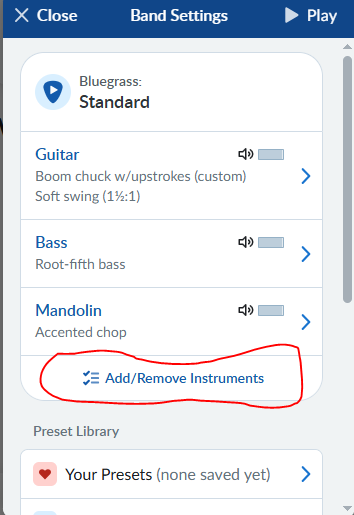
Quick tip for the meantime: remove all the built-in instruments from your “metronome” songs. That way you don’t have to mute the instruments, only toggle the metronome.
I love the wood block tone better than any metronome I know.
A few more “musical” options would be great also.
Thank you for the tip. Great idea.
It took me a bit to find add/remove instruments. I’m showing below for anyone else interested.