Try out the new playback interface, dark mode, and more!

There’s a new version of Strum Machine available for beta testing! Changes include:

  • New playback interface, redesigned from scratch to give quick access to the most useful settings,
  • Easier tempo changing on phones with the new “BPM dial”,
  • Unified app settings page: everything in one place, with room to grow,
  • Dark Mode: matches your system preference by default, or you can choose light or dark in Settings,
  • …and much more (full release notes here).

As this is a substantial update with some bold changes to the interface, I’m going to have a nice long beta period where I hope to get tons of folks trying it out and sending in feedback. So please give it a try!

How to try out the beta:

Just log in with your existing account (should happen automatically in the website version) and you’ll be good to go!

The beta app is stable enough for everyday use, and I’ve already gotten great feedback from it, so don’t be afraid to try it out! You can always go back and use regular Strum Machine if you want.
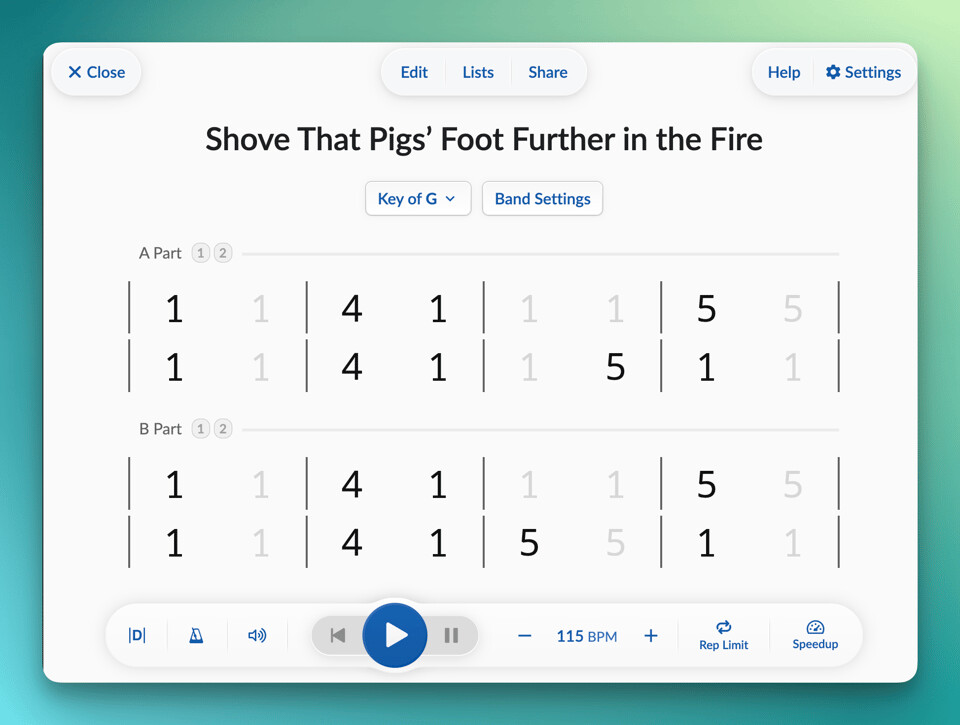
Playback interface as it appears on an iPad or other tablet

Behind the update

It’s tempting to look back and craft a clean narrative about how this update came to be—the grand vision for the update, the milestones crossed as it took shape, the obstacles we overcame along the way… but the truth is both simpler and more messy than that:

  • Strum Machine needed a cohesive, app-wide Settings UI, both to replace the “Advanced Settings” page which had outgrown its moniker and to pave the way for more settings to be added in the future. Tyler and I started design work on this back in 2024 as a “backburner” task between working on other projects like band presets and walking bass.

  • The current song playback page design, basically unchanged since 2018, was holding me back from some improvements I wanted to make, so Tyler and I started taking a fresh look at that page in the spring of 2025, which eventually turned into a full ground-up redesign.

  • I’ve wanted dark mode for years, but a laborious process of updating ~2,000 hard-coded colors across the codebase. Eventually, AI was able to help with a good chuck of the tedium of this work starting in late 2025… but I also needed to have the Settings UI built to allow the user to toggle dark mode (see above).

Each of these separate efforts snowballed into larger projects, as often happens, and eventually these snowballs (along with a pretty substantial refactoring snowball) merged together into one massive snow-boulder that… well, I try not to get updates get to such an unwieldy size, but here we are.
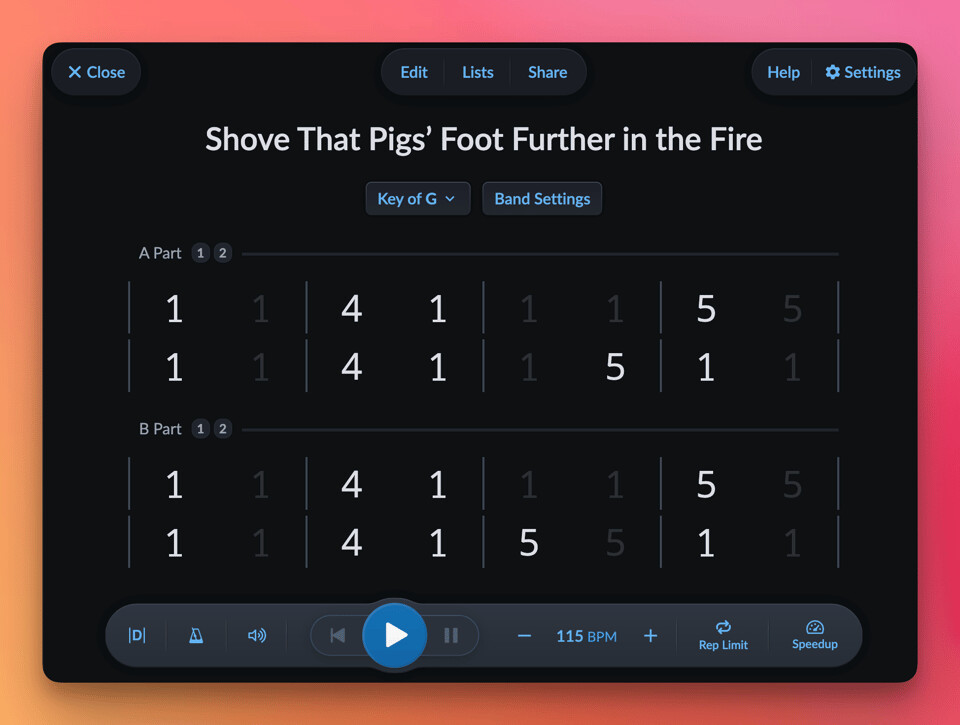
Yes, dark mode is now available!

Ten years of learnings

As it so happens, Strum Machine turns ten years old this summer. I thought “Tenth Anniversary Update” had a nice ring to it, so that’s what I decided to call this thing. :tada:

As I said above, there are some BIG changes to the interface so I’m going to keep it in beta for longer than usual in order to gather feedback from users, positive and negative, and make sure that everyone’s as happy as possible with the new direction.

Redesigning the main song playback interface is not something I take lightly. As I said, it’s been more or less unchanged for nearly eight years, and I know people appreciate that kind of stability.

But in 2018, Strum Machine was still only a couple years old, and it was hard to know how it would evolve. Whereas at this point, I think I’ve got a good grasp of what Strum Machine is; where it will go as well as where it won’t. Plus I’m working with an actual professional designer now instead of piecing together UIs myself, which has totally changed the game.

My goal, therefore, has been for this to be the last big redesign of the main playback interface. Not the last time it will change at all—I’ve got a few more features to slot in later on, and I’m sure we’ll find ways to refine and polish what we’ve done here—but as far as major changes to the player go, this should (hopefully) be it.


Please try the beta version and let me know what you think! Don’t hold back on your feedback: if you don’t like it or miss something about the old interface, I want to know! Thanks!
5 Likes

Holy Moly Luke, this is really nice. Really, really nice. From on Dev to another, really nice what you’ve done with the UI, not just pretty but so much more practical. Thanks so much for this huuuuuge effort. I and all the other users will really appreciate this update when it does ship.

I’d been using StrumMachine while perfoming, using it on a iPad. That was kind of disappoint cuz I couldnt figure out how to blow text up on the iPad so I could read the UI and graphs better. (Gettin really old now ¯_(ツ)_/¯ ) But this beta is so nice on the iPad now. I might not use it on my phone anymore.

4 Likes

I like it. In a playlist, would it be possible to support the → and ← keys to quickly jump to the next or previous song? That would make it easy to skip or songs you don’t need to hear or repeat ones that you do.

also, when I’m in a list and do most any interaction, it seems to stop playing in the list then i have to go back and find the list and start again. I use playlists to practice for a show so keeping it running even if interupted is kind of important.

Yes, that falls under the umbrella of customizable keyboard shortcuts, which are still coming!

I was able to reproduce this on by editing and then saving/discarding. But it sounds like there might be more situations where the list is getting lost. I’d love to hear more details about what’s going on and how I can reproduce these issues you’re running into. Feel free to continue this conversation over email.

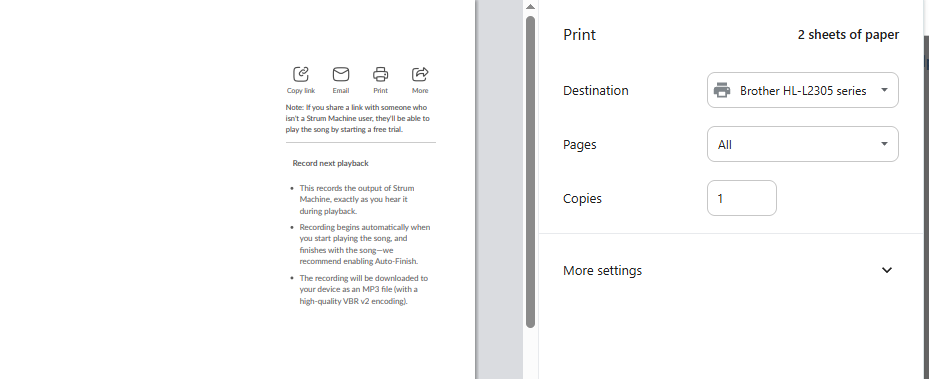
Printing doesn’t work on the Beta version 439.4. I don’t know what it is trying to print, but it isn’t the tune that is displayed.

Just published v440.0 with some fixes for reported issues:

  • Printing should work again @DavidHaile @TonyWilder
  • List navigation should be maintained after editing and saving/discarding @DaveBerry
  • Metronome should adapt better to mixed time signatures @MartineBloem
  • Medleys settings should no longer be reset when editing the medley @DavidHaile

Plus more updates like fixing the / go-back-to-song-search shortcut, spacebar play/stop shortcut handling, printing on Android, etc.

If any of these issues still crop up after the update is installed, or you notice anything else amiss, please let me know. Thanks!

Using 440, I’m attempting to use it with its own help system. I’ve been all over the web app looking for how to create a Medley. Did it move after the last version? The Help video is not helpful.

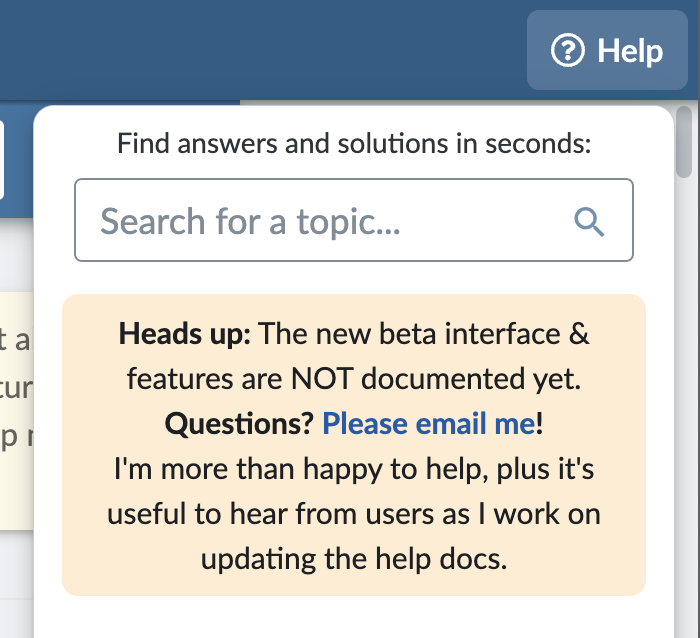
Sorry about that. Yes, Help docs are out of date—will get them updated soon. I added this disclaimer to the Help menu to dissuade folks from using them in the meantime and to contact me instead:

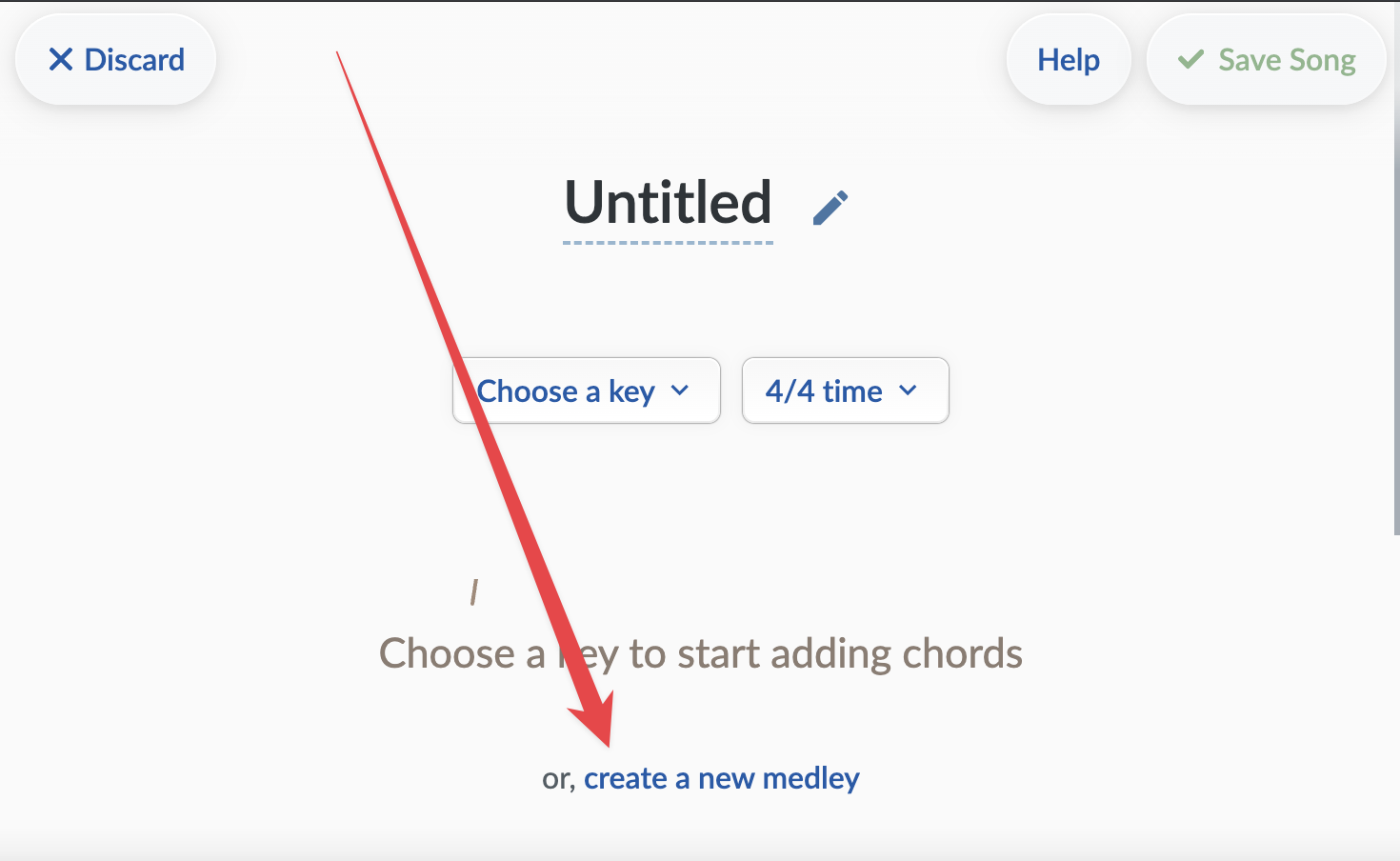
Working on improving the medley-related UI this week. For now, you can create a new medley through the “New Song” page with the link at the bottom:

I like it! I do miss seeing the title of the next song coming up in the list, however. In the old version it’s at the top. I like being able to glance up and see what’s next while I’m playing the current song. Is there a way to turn that on? I poked around but couldn’t find a setting…unless I’m missing it.

1 Like

I’m running the beta, and encountering zero issues. As a recovering software developer, I know how daunting it is to do a major refactoring. Like you know in your heart it’s the Right Thing to do, but you lift the hood and your blood runs cold.

Well done, and I’m sure that the next ten years will be that much cleaner, neater, and more productive for all of us.

Thanks, Lee

Good feedback, thanks! That was one of those features where it’s impossible to tell from analytics whether folks find that useful or not. Removing the song titles allowed us to streamline that list navigation bar a lot.

I’m not necessarily against adding it as an option, but I would want to dig deeper into the use cases here, learn when and why people want to know what the next song coming up is, and so forth. There may be multiple ways to approach addressing your needs.

Note that if you hover over the next-song button, the title should appear in a tooltip, in case that’s helpful.

1 Like

Thanks Lee! It feels really good to be getting this codebase cleaned up and in good shape for the decades to come. (Which, to be clear, is an ongoing project, but this update is a huge milestone in that effort.)

I guess the strongest use case would be when using auto-advance it lets you mentally prepare and be ready to start playing the next tune. I don’t always use auto-advance, but I do like to see what’s coming next. If I want to play it, I can just click the name and continue. If I don’t, I know I’ll have to go to the list and decide on another tune. Without the name there, I’d have to go hunting for another tune every time. So, it saves me a little time.

Just making an idle comment about software development. I did that for 34 years. In the Single Most Useful and Memorable Development Class I ever attended, the instructor intentionally deleted everything we were working on throughout the day. It was impressive how clean our code and logic became after we refactored it several times.

Hey Luke, as always, great job on the refactoring of SM! I love the new UI changes and dark theme.

I create and edit songs a lot and I noticed a couple of things.

  • When removing the last section, the controls in floating toolbar doesn’t work until I set the focus back on the chord. Not a deal breaker. I just expect the same behavior as starting a new song. Right after I select the key, the first chord is selected, enabling the toolbar.
  • When deleting a bulk of chords, the screen does this odd jump and the white border appears (while on dark mode). The feature works as expected. Guessing the bulk animations is messing with the layout.

Here is a short video using my android tablet.

1 Like

Thank you for the bug report, and especially for the video—that was instrumental in figuring out how to reproduce and fix the second issue. I’ll have them fixed in the next beta release, probably sometime this weekend.

A few things:

I’m not sure how to change the size of the chord chart. The chart has always looked kinda small on iPad, and it’s a lot smaller on my screen than it is on the screenshot on this post.

Also I noticed the new Thump during rests feature. I’m not sure how I would use this because I would use diamonds on the chord changes for sections that are “acapella”. It doesn’t sound as natural in my opinion to use the thumping feature, however I will point out that applying the setting and unapplying the setting only works if I exit the song and go back into it.

Is there a way to make a cell only play the downbeat (without the chop)? For example in my arrangement for “I’m Ready”, I have it set up to walk up to the 4 chord leading into the chorus after the acapella section but I would like for it to only play the downbeats walking into the final chorus.

Additionally, if I connect my AirTurn pedal with a song open, it closes out of the song and goes back to the home screen.

Thank you

Getting tantalizingly close to the big public release of this version!

I’m not sure how to change the size of the chord chart.

Strum Machine’s user interface now adapts to your system Font Size on iOS. For me, this means a bigger UI because I typically run at 110% or 120% font size on my iPhone and iPad. But if your font size is under 100%, you may notice it being smaller. Here’s how to check and change your system font size. Note that you can set per-app font sizes through the Control Center!

Thump during rests feature

Yeah, this is not something that everyone’s going to want; that’s why it’s off by default! I still need to swap out the thump for a better sound. Thanks for pointing out the not-taking-effect-until-reload issue, I’ll fix that.

Is there a way to make a cell only play the downbeat (without the chop)?

Yes, through the Effects menu in the song editor. Use the Diamond effect to only hear the first beat in the cell. Use Diamond+Rest in the two cells of a measure to have a typical “first downbeat strum in measure only” effect.

Looks like you’ve figured this out but leaving this here in case anyone else sees it.

If I connect my AirTurn pedal with a song open, it closes out of the song and goes back to the home screen.

Very strange! I’ll have to look into that later.